Interactive city guides

Everything for your trip. Nothing else to research.

One guide per city with the whole trip inside: what to see and in what order, what to book, and what to know before you land. Sorted, checked and easy to follow, on your phone.

Picked by locals and travel pros

Inside every guide

The problem

All the research. Still no plan.

The trip is booked. Exciting! Then comes the question: where do you even start? You open one blog, then five more. You watch a vlog, save a few TikToks, screenshot an Instagram post and drop pins on Google Maps “for later”. The tabs keep piling up.

A week later it is all scattered across ten apps, and you still have to turn it into a plan you can follow in the city.

  1. Hours of reading.

    Blogs, YouTube, reviews, forum threads. Every list says something different, and you want to get it right.

  2. Saved everywhere.

    Hundreds of saved posts, pins and screenshots. On the street you can’t find the one café you saved months ago.

  3. Then the plan.

    Which day, in what order, what is near what? And where do you keep it: Notes, a doc, a spreadsheet?

  4. And the tickets.

    What sells out? When should you book? Is it even worth it? Miss one and you lose half a day.

Finding places is the easy part. Turning everything you found into a plan you can actually follow is where the trip planning really starts.

The other trap

Your first visit shouldn’t feel like your second.

And when you do find the time? You read every blog, watch every video and see every photo. By the time you land, it feels like you’ve already been there. The city is still beautiful, it just doesn’t surprise you anymore.

Too little

You wing it.

You see the famous sights, miss the little places locals love, and spend the trip wondering what you skipped.

Too much

You’ve seen it all.

Every corner is familiar before you arrive, and the trip starts to feel like a rerun of your saved posts.

Too littlePockitguideToo much

Pockitguide sits right in between. You know where to go and in what order. The wow is still yours.

The solution

One guide. The whole trip.

Pockitguide puts everything you need to know about a city in one place, organised into a plan you can actually follow. Once you have it, you don’t need to read, watch or search for anything else.

saved reel
screenshot_0412.png
Dropped pin
blog tab 17 of 23
that café from TikTok
Notes: “day 2??”
Day 1 of the Paris guide: the day circles, a morning coffee, then Notre-Dame and Sainte-Chapelle with walking times between stops The Day 1 map of the Paris guide The Sacré-Cœur page in the Paris guide The Essentials tab of the Paris guide
Day 1 of the Paris guide, exactly as it opens on your phone.
  • A day-by-day plan.

    What to see and in what order, grouped by area, with a morning coffee to start and the walking minutes between stops.

  • What to book, and when.

    Every ticket you need, with the price, when sales open, whether it is worth it and the official link.

  • The places worth your time.

    Hidden gems, photo spots, where to eat and what to bring home, recommended by local guides, travel bloggers and the big travel sites.

  • Things to do, ranked.

    Food tours, cooking classes, shows, day trips and big days out, with the top 3 picks marked so you choose in seconds.

  • See it before you go.

    Real photos, short TikTok videos and the place’s own Instagram.

  • A map for every day.

    Each day’s route on a live map, with popular cafés and restaurants near every sight and your own places added in.

  • Essentials from locals.

    How to save money, getting in from the airport, emergency numbers, tipping, and the phrases you need in the local language.

  • Ask AI about any place.

    A question the guide doesn’t cover? Every place has an Ask AI button that answers in your language.

  • Links to everything else.

    Official sites, tickets, TikTok, Instagram and maps, one tap away from each place.

  • No app to install.

    It’s a web page, not another app. Add it to your home screen and it works offline.

Detailed view

Meet every place before you go.

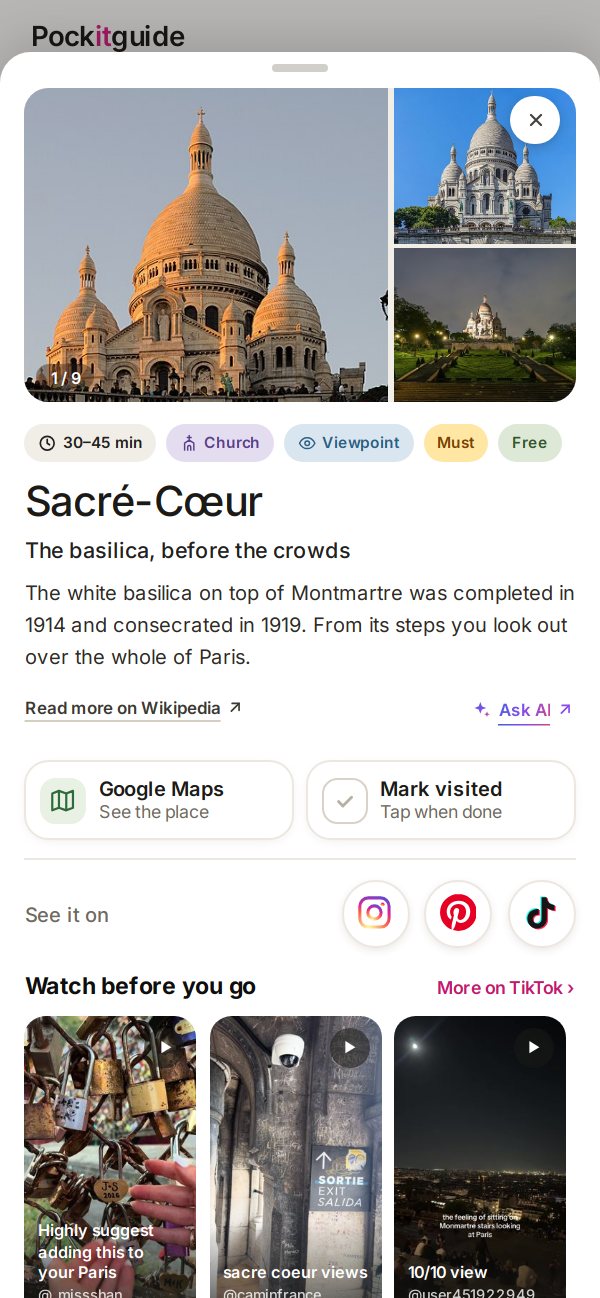
Open any stop to discover its story, see it in photos and short videos, and pick up a few local tips. Ticket booking, Google Maps, TikTok and Instagram are right there too, so you never have to go looking.

Day 3 of the Paris guide, starting at Sacré-Cœur
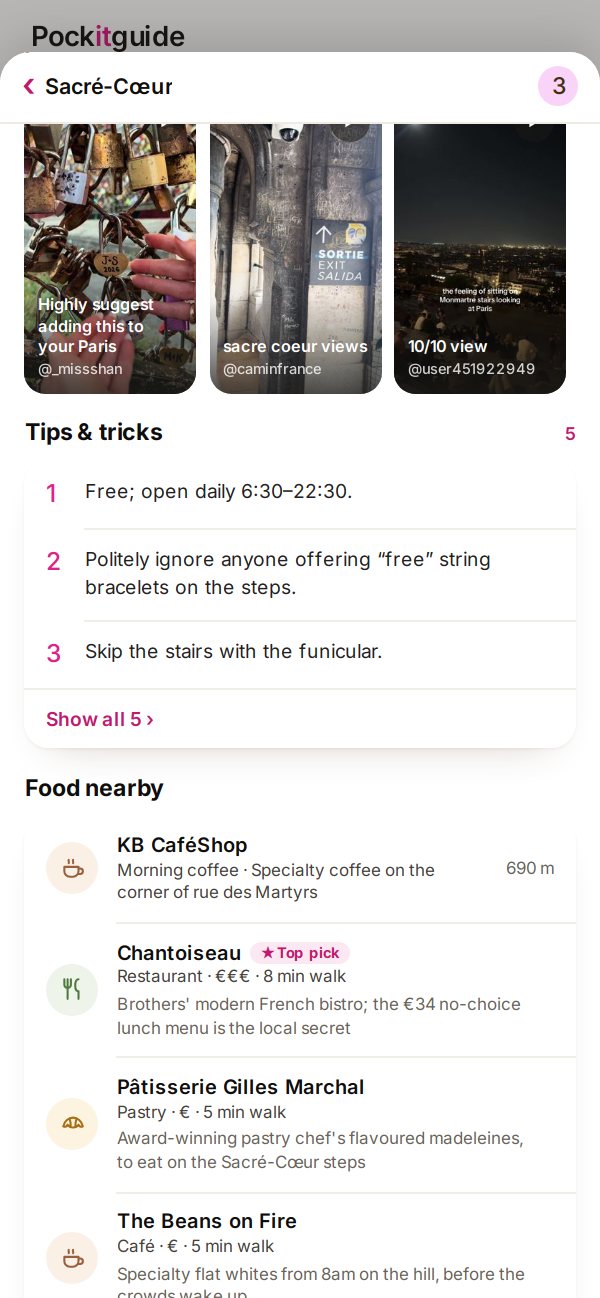
The Sacré-Cœur page in the Paris guide: photos, a short story, Ask AI, Google Maps, Mark visited, and Instagram, Pinterest and TikTokFurther down the Sacré-Cœur page: tips and tricks, and food nearby
Not for you? Skip this stop
Tap any stop and its page slides up.
  • Why it’s in your plan

    A short, clear story of the place, what to see there and the best time to go.

  • See what people post

    Instagram and TikTok from the place itself, the way most of us check a spot today. See why it made the plan, and whether it’s your vibe.

  • One tap to everything

    Google Maps, Wikipedia, the official site and tickets, all from the same page.

  • Tips and food nearby

    The tricks for that exact place, like skipping the stairs with the funicular, and the most popular cafés and restaurants a few minutes’ walk away.

  • You decide

    Love what you see? It’s already in your day. Not your thing? Skip it. The plan is ready, and the choice stays yours.

Make it yours

Your day on a map. Your places in it.

Every day has its own map with the route already drawn. Got a café a friend recommended? Put it on the map and the guide fits it into your day.

The Day 1 map in the Paris guide: numbered stops joined by a walking route, food pins near each sight, a pink heart for your own café and a pink plus button
The Day 1 map, with food picks and one of your own places.
  • The route, already walked

    Numbered stops joined by a walking route, with the minutes between them in your plan. No crossing the city twice.

  • Food near every sight

    About three of the most talked-about cafés and restaurants around each stop, shown on the map. Like one? Add it to your day in one tap.

  • Your own places

    Tap +, search a name or paste a Google Maps link. If it’s within a kilometre of a stop, it joins that day at the right time.

  • Skip what’s not for you

    Not feeling a stop? Skip it and the day closes the gap. Change your mind and it comes back.

Essentials

Know the city before you land.

Everything worth knowing in advance is already in the guide. No extra research, no searching on the go.

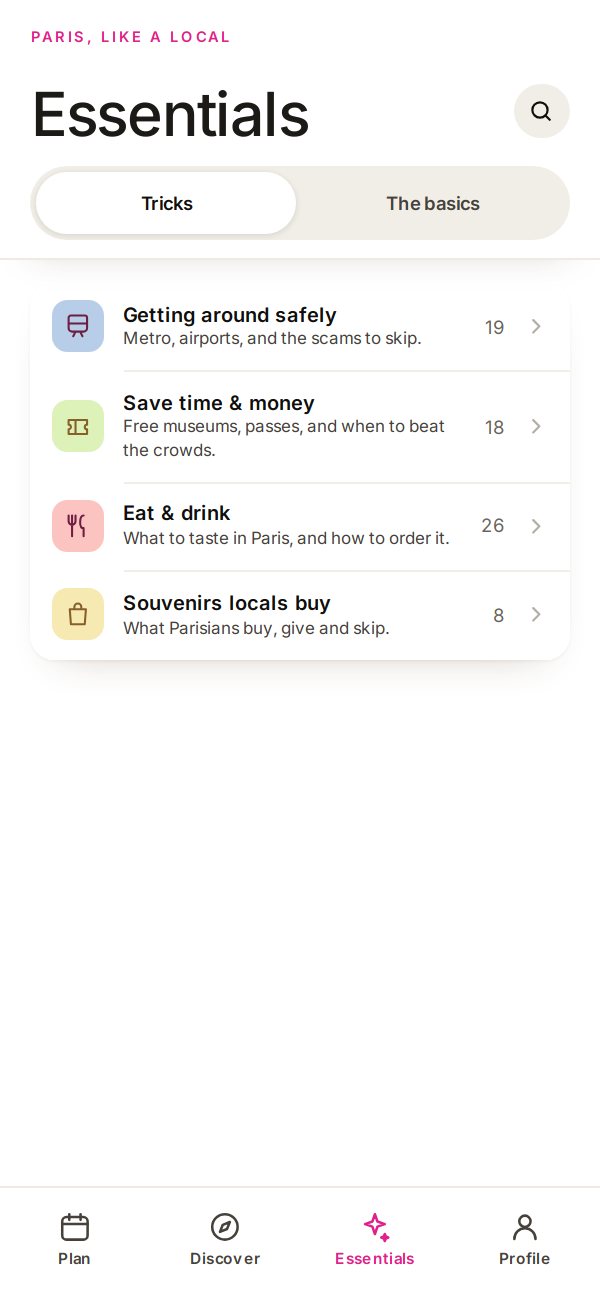
  • Getting around

    The best way in from the airport and which transport pass is worth it.

  • Money matters

    Cards or cash, how much to tip, free museum days and the tricks locals use to save.

  • Staying connected

    SIM, eSIM, free Wi-Fi and which plug to pack.

  • Eat like a local

    The dishes worth tasting, and how and when to order them.

  • Staying safe

    Common scams to avoid and the emergency numbers to call.

  • Say it like a local

    Hello, thank you, goodbye and the phrases that change how you are treated.

The Essentials tab of the Paris guide: getting around safely, save time and money, eat and drink, souvenirs locals buy
The Essentials tab of the Paris guide.
All you need

Close the other tabs. It’s all here.

With the guide on your phone, you can skip:

Everything you need for the trip is in one guide, sorted day by day and explained simply.

How we build it

Locals first. Then checked twice.

Who knows a city best? The people who live there. Every guide starts with what local guides recommend, and every pick is checked before it makes your plan.

1

Start with the locals.

We gather what local guides recommend in their blogs, YouTube videos and social posts: the route, the hidden gems, the food.

2

Compare with the classics.

We cross-check with the guides millions of travellers trust, so nothing essential is missing.

TripadvisorLonely PlanetTime OutMichelin
3

Confirm the facts.

Opening days, prices and booking rules come from each place’s official site, so you never arrive to a closed door.

No download

Not another app. Just a link.

Pockitguide opens in your phone’s browser, so there’s nothing to download from the App Store. But it’s made to be used like an app, from your home screen.

Our one big tip: add it to your home screen.

A link gets lost. Tomorrow you close the tab or search for something else in it, and your guide is gone. From the home screen it has its own icon, fills the whole screen with no browser bar, and works with no internet. It takes ten seconds, and you’ll forget it isn’t an app.

1

Open the link.

Tap the guide’s link in Safari or Chrome and sign in with Google. That’s it, you’re in.

2

Add to Home Screen.

Tap ••• next to the address, then Share, then “Add to Home Screen” and Add. The guide gets its own icon, right next to your apps.

Tap Share at the right end of the address bar, then “Add to Home Screen” and Add. The guide gets its own icon, right next to your apps.

Tap ⋮ at the top right, then “Add to home screen”. The guide gets its own icon, right next to your apps.

3

Use it offline.

Once it has loaded, it works without internet: in the metro, on the plane, or abroad without roaming.

4

Opens like an app.

Tap the icon and the guide fills the whole screen. No browser bar, no web address, just your trip.

Cities

See it in action. Start with Paris.

Six days, planned stop by stop, with everything to book before you fly. More cities are on the way.

The Louvre and its glass pyramid at duskParis6 days · 84 stops · 11 tickets to bookOpen the Paris guide →
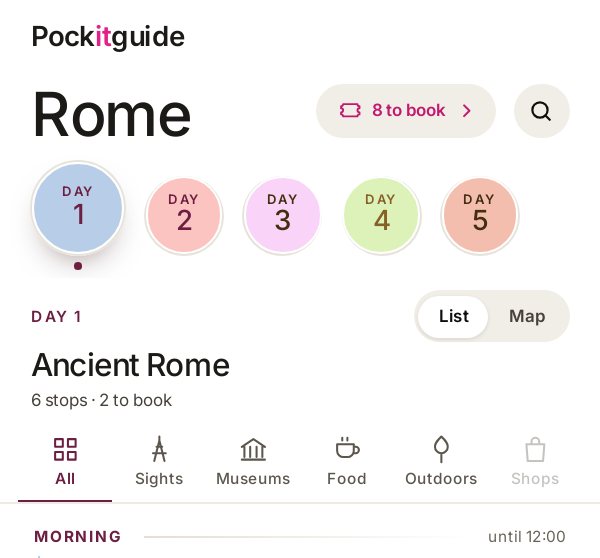
Coming soonRomeFive days, from the Colosseum to Trastevere. Being checked the same way.
The Rome guide: five day circles and Day 1, Ancient Rome
Pockitguide · Interactive city guidesPhotos from Wikimedia Commons: Celette (CC BY-SA 4.0), Coyau (CC BY-SA 3.0), Krisztina.Konczos (CC BY-SA 2.0), Moonik (CC BY-SA 3.0), Taxiarchos228 (CC BY 3.0), Benh Lieu Song (CC BY-SA 3.0), jit bag (CC BY 2.0).